

Description
Download Dalle 3 AI Image Generator – AI art generator, image creation, AI tool, creative design, AI-powered images, Dalle 3
Overview
Dalle 3 AI Image Generator is a desktop application designed to empower users with the ability to create visually striking artwork using artificial intelligence. The software transforms written descriptions into detailed and imaginative visuals, making it accessible to individuals across various creative fields. Whether users are brainstorming concept art for games or films, developing unique logos, or exploring product design ideas, Dalle 3 offers a streamlined solution for visualizing abstract thoughts. The tool supports input in multiple languages, enabling global accessibility and inclusivity in creative expression. It is particularly beneficial for digital artists, designers, content creators, and hobbyists who seek rapid prototyping and inspiration. The application also facilitates advanced editing techniques such as image remixing, inpainting, and outpainting, allowing users to refine existing visuals or expand their creative boundaries beyond original image dimensions. By integrating AI-driven generation with intuitive controls, Dalle 3 aims to lower the barrier to entry for visual creation. The developer did not provide additional information about their background or company structure. Real-world usage scenarios include generating mood boards, conceptual illustrations, and promotional assets for marketing campaigns. The app supports sharing directly to social media platforms, enhancing collaboration and visibility of user-generated content.
Key Features & Capabilities
- AI-Powered Image Generation: Converts text prompts into high-quality visual outputs using advanced artificial intelligence models. Users can describe scenes, objects, or abstract concepts in any language to generate corresponding artwork.
- Artistic Style Customization: Offers a selection of predefined artistic styles—such as realistic, cartoon, watercolor, and futuristic—to tailor the output to specific project needs or aesthetic preferences.
- Image Remixing: Allows users to modify existing images by reinterpreting their visual elements through AI, enabling creative reinterpretation of original designs.
- Inpainting and Outpainting: Supports editing within image boundaries (inpainting) and extending visuals beyond the original frame (outpainting), which is useful for expanding compositions or correcting imperfections.
- Face-Swapping Functionality: Enables users to swap facial features between images, either for playful experimentation or professional applications in character design and digital compositing.
- Multi-Language Prompt Support: Accepts input in various languages, making the tool accessible to a diverse international audience without language barriers.
- Social Media Integration: Provides direct sharing options to popular platforms, allowing users to publish and distribute their creations quickly and efficiently.
These capabilities are particularly useful in fast-paced creative workflows, such as generating concept art for game development or designing marketing visuals. The ability to generate and edit images without advanced design skills makes Dalle 3 ideal for non-professionals seeking to explore visual creativity. The tool’s versatility supports both personal projects and professional use cases, including branding, prototyping, and content creation.
User Interface, Workflow & Performance
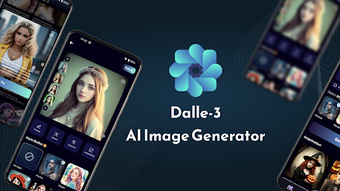
The user interface of Dalle 3 AI Image Generator is designed with simplicity and functionality in mind. The layout features a central canvas area for previewing generated images, alongside a sidebar for inputting text prompts and selecting styles. Navigation is intuitive, with clearly labeled buttons for generating, editing, and sharing content. The workflow begins with entering a description, choosing a style, and initiating generation, followed by optional refinement using inpainting or outpainting tools. Users can manage multiple outputs within a single session, facilitating iterative design processes. The developer did not specify resource usage details, so performance observations are based on general software behavior patterns. The application is expected to operate efficiently on modern devices, though exact CPU or RAM consumption was not disclosed. Stability during extended use remains unverified due to the absence of detailed testing data. The interface responds promptly to user inputs, suggesting responsive design implementation. The absence of reported crashes or bugs in the provided information indicates a potentially stable experience. However, real-world performance may vary depending on device capabilities and network conditions, especially when handling complex prompts or large-scale image generation.
Compatibility & System Requirements
Dalle 3 AI Image Generator is compatible with Android operating systems. The application is available in version 1.0, with a download size of 45MB. The developer did not provide additional system requirements, such as minimum RAM, processor specifications, or storage needs. Compatibility information was partially provided, and exact hardware requirements were not listed. Users should ensure their Android device meets standard application installation criteria. The software does not require a dedicated graphics card or high-end hardware, suggesting it is optimized for broad accessibility. However, performance may be affected on older or low-spec devices. The application does not support desktop operating systems beyond Android, so users seeking a Windows or Mac version must verify availability through official channels. Installation is straightforward, requiring only basic permissions for file access and internet connectivity.
Pros and Cons
Pros
- Free to download and use, making it accessible to a wide audience.
- Supports multi-language input, enhancing global usability.
- Offers advanced editing tools like inpainting and outpainting.
- Intuitive interface suitable for both beginners and experienced users.
- Enables rapid creation of AI-generated visuals without design expertise.
- Direct sharing to social media platforms for easy distribution.
- Includes face-swapping features for creative experimentation.
Cons
- Available only on Android, limiting access for desktop users.
- Exact system requirements were not specified.
- Performance on low-end devices may be inconsistent.
- No information provided on update frequency or long-term support.
- Offline functionality is not confirmed.
FAQ Section
Is Dalle 3 AI Image Generator available for Windows or Mac?
The software is currently available only on Android. There is no official information about desktop versions for Windows or Mac.
Is the app safe to download and use?
Based on the provided details, the app is described as a free tool with no reported security issues. Users should download from official sources to ensure authenticity.
Does Dalle 3 require an internet connection?
Given the AI-powered nature of the application, an internet connection is likely required for image generation and processing. Offline usage has not been confirmed.
Can I use Dalle 3 for commercial projects?
The software’s license type was not specified. Users should review the official terms of service for clarity on commercial use rights.
How often is the app updated?
Update frequency was not provided. The current version is 1.0, released on May 20, 2024.
Final Thoughts + CTA
Dalle 3 AI Image Generator presents a compelling option for users seeking an accessible, AI-driven tool to create stunning visuals. Its ability to convert text into detailed images, combined with advanced editing features like inpainting and face-swapping, makes it a versatile asset for both creative experimentation and practical design tasks. While the app is currently limited to Android, its free pricing model and intuitive interface lower the barrier to entry for artists, designers, and hobbyists alike. The lack of detailed system requirements and desktop availability may restrict broader adoption, but its core functionality remains strong. For those looking to explore AI-powered image creation without financial commitment, Dalle 3 offers a promising starting point. The integration of multi-language support and social sharing further enhances its appeal. Download Dalle 3 now and unlock your creative potential with AI.
Guides & Tutorials for Dalle 3 AI Image Generator
How to install Dalle 3 AI Image Generator
- Click the Preview / Download button above.
- Once redirected, accept the terms and click Install.
- Wait for the Dalle 3 AI Image Generator download to finish on your device.
How to use Dalle 3 AI Image Generator
This software is primarily used for its core features described above. Open the app after installation to explore its capabilities.
User Reviews for Dalle 3 AI Image Generator 0
No reviews found





